Your payment has been confirmed, and your access is ready.
You are officially part of the ServeBreak community. Let's get your app installed it only takes 2 minutes.
Follow these 3 simple steps below:
Step 1 - Open the app
First, tap the button below to open the app in your mobile browser. This will take just a few seconds.
Step 2 - Create Account
On the login screen, since this is your first time accessing the app, tap "Sign up"— not "Log in."
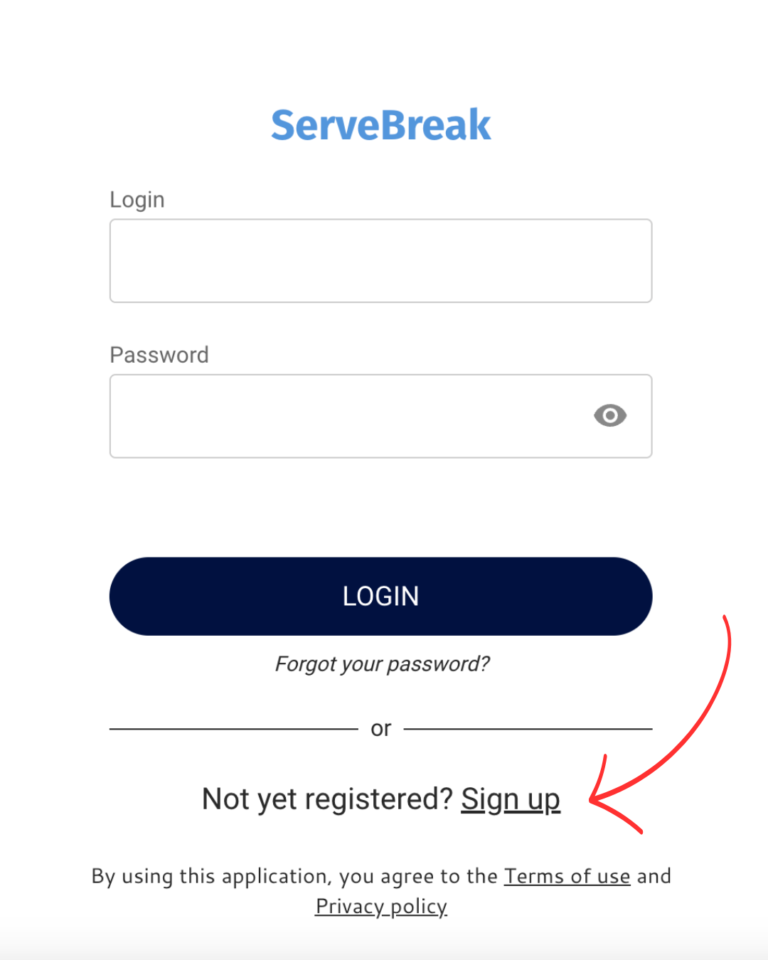
Use the same email you used for your purchase. Choose a password you'll remember to open the app.
Step 3 - Add ServeBreak to your Home screen
Once you're logged in, install the app icon on your phone so you can open it anytime with one tap
For Android
1. Open the ServeBreak link in Chrome. 2. If the option appears, tap “Add to Home screen.” 3. If it doesn’t appear, open the browser menu. 4. Select “Add to Home screen” and confirm.